
3D printed mold inserts vs steel
- Useful when you need a handful of shots to see fill or a shutoff idea
- Geometry and finish drift as the printed block wears or heats
- Best framed as a comparison check, not as the production cavity
Decision guide
Compared with a 3D printed mold insert, a hardened steel cavity is the production path when cosmetics, wear, and repeat orders matter.
Decision guide
This page compares printed mold inserts with hardened steel. It is not a printed-tool menu.
Compared with a hardened steel cavity, a 3D printed mold insert is a cavity or core block printed and mounted in a mold frame so a few plastic shots can test fill or shutoff.
A hardened steel cavity is cut for the life of the part. NetProto quotes and builds that steel tool from your CAD, with DFM before release, then runs production on the same mold.
If you are comparing printed inserts with steel, treat printed hardware as a short learning step elsewhere. The production quote should still describe the steel tool you intend to keep. Do not let a printed-insert trial delay the steel tool quote.
Route split
Printed inserts and steel cavities answer different questions. Do not treat them as two SKUs of the same tool.
Visual reference
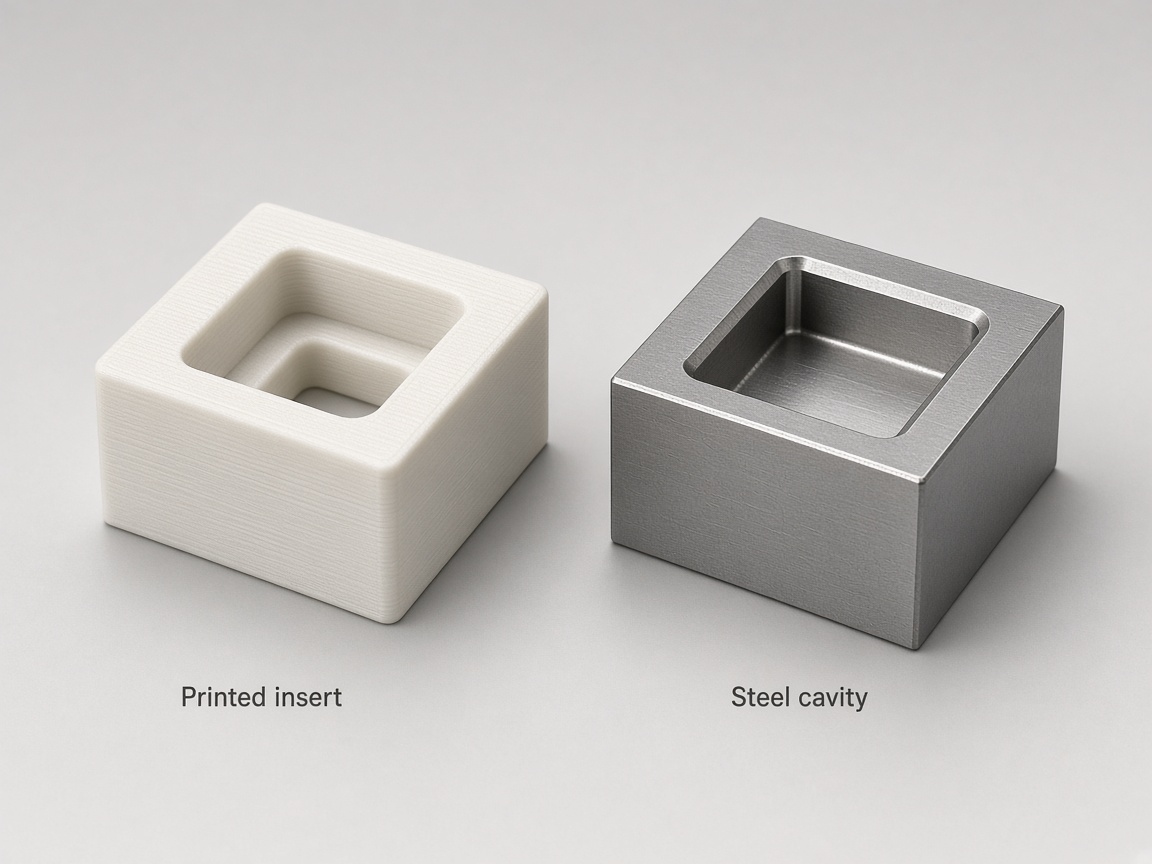
Printed insert vs steel cavity
Printed insert compared with a hardened steel cavity.
Signals
No shot-life or price figures. Route by learning goal versus production intent.
| Question on the RFQ | Printed insert comparison | Steel cavity |
|---|---|---|
| Does this gate or rib fill at all? | A short printed-insert trial can be compared | Steel if the fill answer must hold on T1 cosmetics |
| Will the show face stay clean after many shots? | Printed blocks wear and mark sooner | Steel is the path that holds finish |
| Do we need the same cavity for repeat orders? | Printed inserts are a temporary comparison | One steel tool stays with the program |
RFQ
State whether printed-insert learning already happened so DFM can stay on the steel tool.
Upload the production-intent solid, not only a printed-insert experiment file.
Mark cosmetic faces and any feature that failed on a printed insert.
Say whether you compared a printed insert elsewhere, and what you learned.
Ask DFM to flag shutoff, texture, and ejection for the steel cavity.
Do not write printed-insert shot counts as a NetProto specification. Shot counts belong on your internal test report, not on the production tool drawing.
Continue exploring
Decision guides and deeper process pages.
All comparison guides.
Compare hubThat page compares molded parts with printed parts, not mold steel.
Injection molding vs 3D printingComparison framing for interim tools versus one steel mold.
Soft tooling vs hardened steelTooling hub for steel-mold program questions.
Injection molding toolingHow A1 and other SPI grades are called out on steel.
SPI surface finish grades for steel cavitiesName the show face before you lock polish or ejection.
Cosmetic face (A-side) vs core sideKeep-outs and pin witness on faces steel must hold.
Ejector pin marks on cosmetic partsFAQ
You can compare a printed insert when you only need a few learning shots. Production cosmetics, texture, and repeat orders belong on a hardened steel cavity. Upload CAD so DFM can size the steel tool from the same geometry.
No. Compared with printing the end-use part, a printed insert shapes injected plastic in a frame. See the parts comparison if the product itself might stay printed rather than molded.
Usually not. Printed blocks do not hold the same polish, texture, and thermal behavior as steel. Treat printed shots as a comparison, then specify finish on the steel drawing.
Upload the production CAD, photos of the printed-insert shots, and notes on fill or shutoff issues. Ask DFM to carry those lessons onto the steel cavity instead of copying the printed block as a specification.
Printed inserts often have a lower first-block outlay than a steel cavity, but that does not make the printed block the production tool. Geometry and the steel program decide the comparison. Upload CAD for a quote on the steel cavity you intend to keep.
A1 is a steel-cavity polish callout. Printed-insert trials do not set the production finish. Write A1 on the steel drawing and use the SPI surface finish chart for the grade family.
Next step
Upload your model for DFM feedback and pricing on a hardened steel tool. Mention any printed-insert trial so reviewers can see what you already learned.