Why Knit Lines in Screw Bosses Fail, and How to Specify Them
What Is a Knit Line in a Screw Boss?
A knit line, also called a weld line, forms where two melt fronts meet after plastic flows around a hole, core pin, or insert. In a screw boss that line often sits in the wall that takes install load, so the boss can crack even when the rest of the part looks fine. This article is the RFQ write-up for that loaded boss.
Open knit lines in injection molding for the defect encyclopedia: marks, general causes, and process notes. Stay here when the failure is a fastener boss that splits at install or later in the field.
During fill, melt advances as a fountain. Material freezes against the steel while hotter resin continues through the core. Any hole, boss core pin, rib junction, or insert pocket splits that flow. When the separated fronts meet again, their skins may already be cooler or oriented differently. The junction can show as a hairline, a notch, or a color shift. It can also be a weak plane with almost no witness.
A screw boss makes that join a structural problem. The wall is a hoop. Driving a fastener, seating an insert, or taking a field load puts hoop tension across that wall. If the knit sits across the hoop, the boss can open along the seam. The housing, the ribs, and the cosmetic faces can still look acceptable. That is why a clean-part photo is a weak accept for a loaded boss.
The split is local. Melt can fill a large cover, pack the ribs, and still meet poorly on the far side of one core pin. The rest of the shot looks filled because those paths did not have to rejoin under hoop load. Inspectors who walk the A-side first will miss a boss that only fails when someone drives the screw.
Shop language mixes knit line and weld line. Some flow reports reserve weld for a head-on meet and knit for a side-by-side meld. For the RFQ, treat them as one risk: a flow-front join in a wall that carries fastener load. Write the note in that language so DFM can flag the location before steel is cut.
The boss still has to be a good boss. Coring, stand-offs, gussets, and how the post ties back to a wall come first. A well-placed knit does not save a solid pillar that sinks, or a tall post with no support. Specify the geometry and the knit note together.
If the boss is hidden, the witness may not matter to industrial design. The load path still matters. If the boss is cosmetic, both the witness and the load path belong on the RFQ. Do not leave "boss OK" as the only note. Say whether a visible line is allowed on the OD, and say whether a knit on the hoop is allowed at all.
A locator boss and a clamp boss are not the same call. A post that only finds a hole can often accept a witness. A post that takes install load cannot hide behind the same note. Mark the job of each boss so the flag is about the right risk.
Key Facts
These facts are the ones to quote on a drawing note or a quote package. They are placement and RFQ facts, not press recipes.
- A knit line is weakest when it sits across the hoop or the screw load path.
- Gates that split around a hole or insert are a common cause.
- boss design (gussets, stand-offs, and wall support) still comes first.
- Inserts change the flow. See molded in inserts vs post-install.
- Process heat can hide a line visually and still leave a weak plane.
- Do not publish torque, pull-out, or boss-wall numbers.
The hoop fact is the one most RFQs skip. A knit on a free wall can be a cosmetic call. A knit that crosses the boss ID, the OD, or the seating face under a screw head is a load-path call. Mark which bosses are load-bearing and which are locators only.
A gate that fills into a wall, then splits around a core pin, will often meet on the far side of that pin. That far-side meet is a frequent knit in a screw boss. A gate that fills from the opposite side of the housing can do the same thing if the boss is an island in the flow. The RFQ does not need a gate size. It needs a flag when the predicted meet sits on the load path.
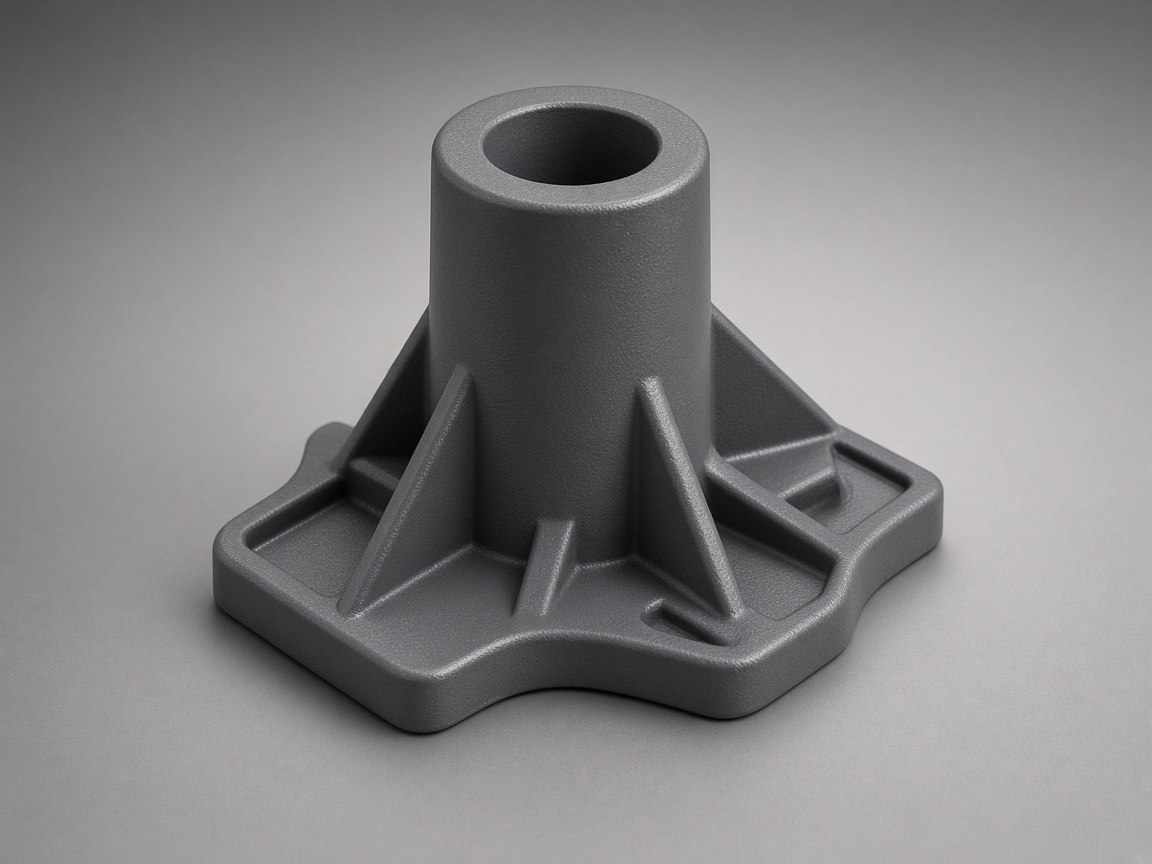
Boss geometry is still the first control. A cored post with a stand-off, a fillet into the wall, and gussets that do not create a new thick lump is easier to pack than a solid column. Open the boss design guide for that geometry. This article does not replace it.
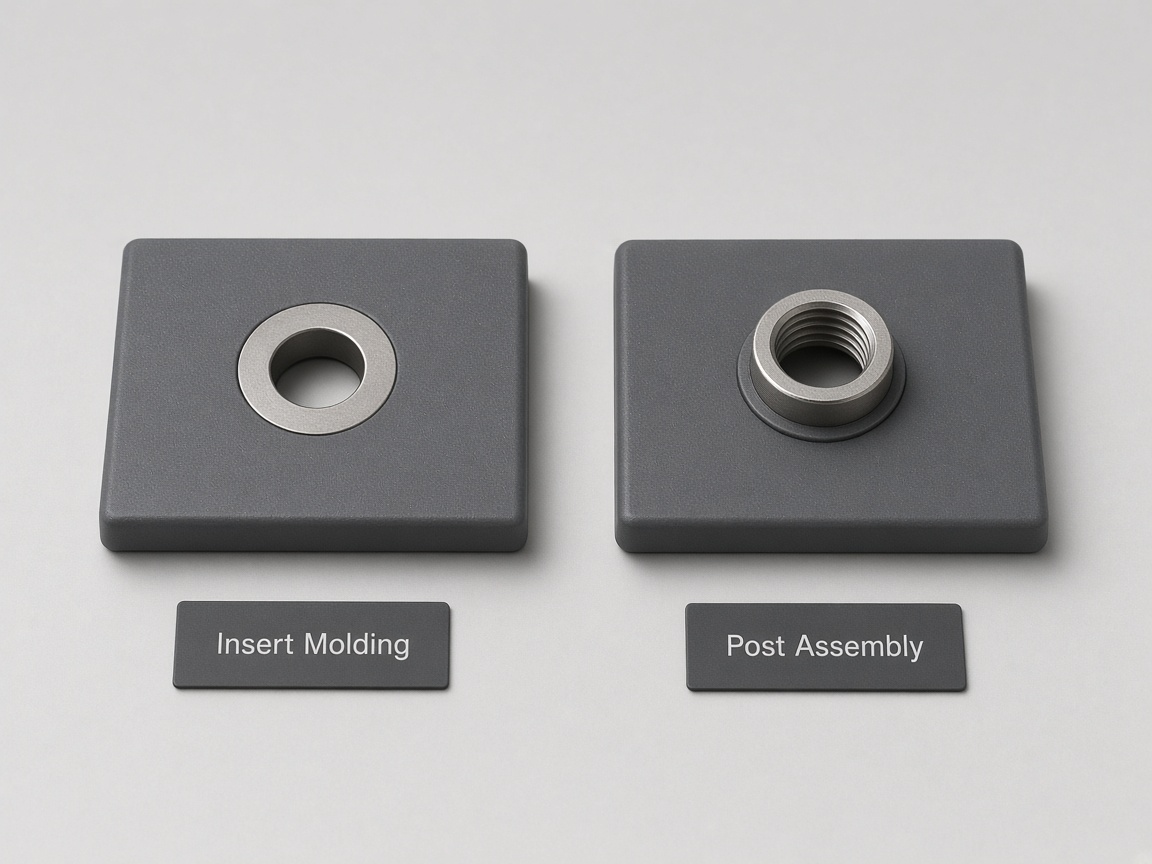
Inserts change the split. A molded-in insert is in the cavity when the shot runs, so melt must flow around metal. A post-install insert is driven, pressed, or heat-set after ejection, so the knit forms around the core pin only. Neither path removes the knit. They change when the metal enters and where the fronts meet. Route the method choice to the insert article. Put the chosen method on the RFQ.
Filled grades can make the same meet more brittle. Glass or other fibers often fail to bridge a knit the way the matrix resin does, so the plane can act weaker even when the witness is faint. Name the resin family on the RFQ. Do not treat a natural-color sample as proof for a filled production grade.
Process heat, pack, and hold can improve how fused the fronts look. They can also hide a line that still acts as a plane. The skin may look closed while the core stays poorly joined. Do not accept "looks fused" as the only T1 note on a loaded boss. Name an install check in your own language.
Do not copy a catalog install figure, a pull-out figure, or a boss-wall ratio onto the drawing as a NetProto specification. Those values belong on your test plan or your internal standard. The RFQ should name the test, not invent a number for the molder to print.
How to Specify the Boss on the RFQ
Write the boss as a load feature, not as a hole that happens to take a screw. The CAD can start the quote. These notes make the knit flag specific.
- Mark every screw boss and whether it is cosmetic or hidden.
- State the fastener type and whether an insert is molded in or post-installed.
- Ask DFM to flag a knit that sits on the load path, or to call out a witness that is acceptable.
- Name the install test in your own language for T1.
- Upload CAD through the instant quote platform.
Mark the bosses on the model or on a simple callout view. Say which bosses carry clamp load, which are locators, and which are unused or optional. Say which ones sit on a visible face and which sit inside a cover. A hidden boss can still crack. A cosmetic boss can fail both the look and the joint.
If the part has a family of bosses, do not mark only the ones you remember from the last build. Unused pads and "maybe later" posts still split flow. If a boss will never take a screw, say that it is a locator or a leftover so the flag can treat it as cosmetic. If a boss is reserved for field service, treat it as load-bearing even if the factory never drives it.
Name the fastener in buyer language: thread-forming screw, machine screw into an insert, or a captured nut. Then name how the insert arrives. Molded-in means the metal is in the tool. Post-install means heat-set, ultrasonic, press, or a later assembly step. If the method is still open, say so. Do not leave "insert TBD" without asking for a flag on both flow paths.
Ask for a flag, not a promise. A DFM flag can note that a knit is predicted on the hoop, that a witness is acceptable on a hidden OD, or that a gate or flow-leader change is even in play. A flag is a note on the quote package. It is not a commitment that the knit will move, and it is not a redesign until you accept the note.
Example flag language you can paste: "Flag any predicted knit that crosses a load-bearing boss hoop." Or: "Hidden OD witness is acceptable. Knit on the ID or seating face is not." Those sentences tell review what to look for. They do not tell review to keep or move steel on its own.
Name the T1 install test in your words. That can be a drive-to-seat check, a reuse cycle, or a field-load hold. Write what pass means on your program. Do not paste a catalog figure onto the drawing as if it were a process spec. If you have no test yet, write that T1 must include a photographed install on the named bosses.
Put geometry notes on the drawing and knit notes on the RFQ when the drawing is already frozen. A late knit sentence on a quote package is still useful if it arrives before steel is cut. After steel is cut, the same sentence becomes a change request.
Upload the CAD with those notes attached. A model alone can start DFM. The flags get sharper when the fastener method and the accept rule travel with the file.
If a previous sample already cracked, attach the photos with the CAD. Mark the crack against the gate side and the core-pin side. That package is more useful than a verbal "the boss is weak."
What T1 Should Show
T1 is the first chance to see where the fronts actually met. A cosmetic walk-around is not enough on a loaded boss.
Require a photo of the boss ID and the boss OD. Light the wall so a hairline can show. If you already know the gate side, mark it on the photo or on a simple sketch next to the image. If a knit is visible, mark where it sits relative to the hoop and the seating face.
Require the install test you named on the RFQ. Record the result in your language. "Looks fused" is not a result. "Drove to seat on the named bosses with no crack" is a result. "Cracked on the far side of the core pin" is a result. Keep the record with the photos.
If a knit is present and the boss still passed your install check, write that down too. Say where the witness sits and that it is accepted on that face. That note prevents a later inspector from rejecting a hidden line you already signed.
If the boss cracked, do not only scrap the sample. Photograph the split, the ID, the OD, and the gate side. Keep the failed part if you can. The next DFM pass needs that evidence more than a new adjective on the drawing.
Repeat the same named test after any process change that was meant to "heal" the line. A hotter pack can hide the witness. It does not automatically prove the hoop. Use the test you already wrote, not a new visual call.
Do not add a torque or pull-out number to the T1 report as a NetProto specification. Report the test you named. If your internal standard has a figure, keep it on your test plan.